A style in one click
Classic, newspaper, bold, or blue. Start with a look you love.
✣ A little dot. A lot of possibility.
Turn images into halftone art with a free online generator. Adjust, preview, and export PNG or SVG — entirely in your browser.
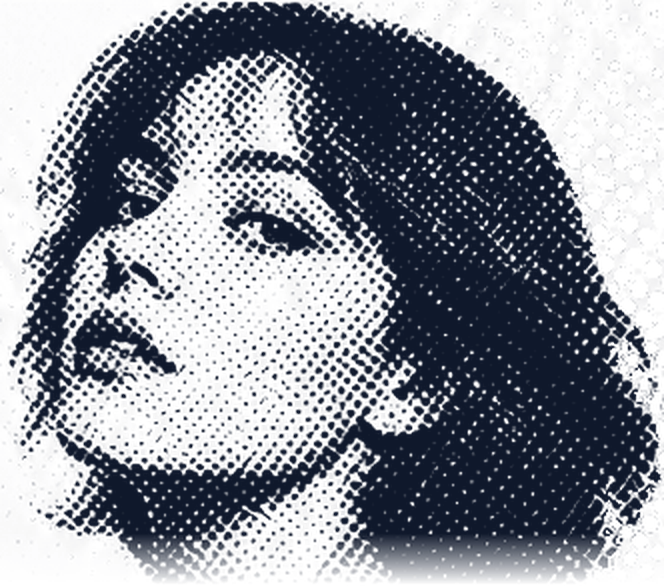 MADE
Drag and drop an image here, or choose a file below
JPG, PNG, WebP · Up to 10 MBOr try an example
♢ No account. No image uploads.
Export size changes dimensions, not source detail. SVG dots remain editable.
Classic, newspaper, bold, or blue. Start with a look you love.
Fine-tune size, spacing, angle, contrast, and color.
Download a PNG or take editable SVG dots into your workflow.
Your images are processed locally. They never leave your device.
Less gradient. More character.
A little inspiration for your next poster, cover, or happy accident.
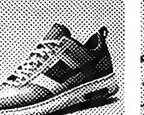
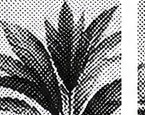
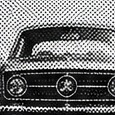
Updated tools & downloads
Start with the job you need to finish. Make a pattern, download a texture, or understand why the dots behave the way they do.
Browse every guideA practical guide to the editor
This halftone maker reads the light and dark areas in a photograph and rebuilds them as a field of marks. Dark areas receive larger dots; highlights receive smaller dots or open space. The result keeps the subject while replacing continuous tone with graphic texture. Use the live preview to judge important edges before you export.
Use this image to halftone workflow when the photo should control every dot. The guide below explains the measured default, the controls, and which focused page to choose for a different job.
Measured starting point
The halftone tool starts with circles on an 8 px grid, a 45-degree angle, and 115% contrast. Dot color is deep navy (#101827) on white. Treat this as a baseline: a clear, side-lit portrait usually holds more structure, while a flat image may need stronger contrast or tighter spacing.
The preview uses a 960 px long edge. Export is recalculated at the selected size, so a 2400 px PNG contains more pixels. SVG stores generated paths without embedding the photo, leaving the dot art editable.
Read the controls
The 2–18 px range controls how much area a dark sample can occupy. Larger marks give halftone art a bold poster weight. Smaller marks retain detail but may disappear when reduced or printed on absorbent stock.
Spacing runs from 4–20 px. A tighter grid samples the photo more often; a wider grid simplifies it into fewer marks. Keep spacing close to dot size first, then inspect eyes, type, and thin edges at the final size.
The 0–90° control rotates the grid. A 45° screen avoids a rigid row-and-column look; zero degrees creates an orderly texture. Compare the same crop at two angles before changing another setting.
Contrast ranges from 30–200%. Raise it when midtones need separation; lower it when shadows merge. Invert reverses the tone relationship, while circle, square, and diamond marks change the character of the halftone effect.
PNG or SVG
Choose PNG for a website, social post, slide, mockup, or raster editor. Its long-edge sizes are 960, 1600, and 2400 px. A transparent background layers colored dots over another design; white or a custom color makes a self-contained photo to halftone result.
Choose SVG for scalable marks or vector editing. Its generated paths scale without ordinary pixel blur. Dense settings create many paths, so widen the grid if the file becomes slow.
Choose by task
Use the main halftone generator when a particular image should determine every mark. These focused pages cover reusable assets, seamless repeats, and visual explanations.
Private by design
The halftone tool accepts JPG, PNG, and WebP files up to 10 MB or 40 megapixels. Processing stays in your browser; the editor does not send or store the image. Continue to follow the rights for your source.
The halftone generator does not guarantee press-ready output. A printer may require a specific screen, minimum dot size, spot color, or trapping. Ask for its limits and proof the artwork before a large run.
From your original image to something wonderfully different.
Choose a JPG, PNG, or WebP from your device. Or start with an example.
Find your favorite dots and colors. See every change in real time.
Download a PNG or editable SVG and bring your next idea to life.
Small details, clearly explained.
No. Processing happens entirely in your browser. Your image is not sent to an AI service or stored by this site.
Yes. Choose Transparent under Background. The checkerboard only indicates transparency and is not exported.
JPG, PNG, and WebP files up to 10 MB and 40 megapixels. Export PNG at up to 2400 pixels on the long edge, or editable SVG.
The SVG contains vector dots, not an embedded photo. Scale it or edit it in a vector editor.